Receive Top 100 Points for Updating Your Profile & Account Settings
24 April, 2020
Looking to be a Top 100 Professional this year through the Top 100 Program? If yes, here’s a perfect opportunity for you to earn more points by completing your online Profile on the PGA of Alberta website. By simply completing your Profile and updating your Account Settings, you will receive 3 Top 100 points to increase your ranking in the standings.
View Top 100 Program Standings
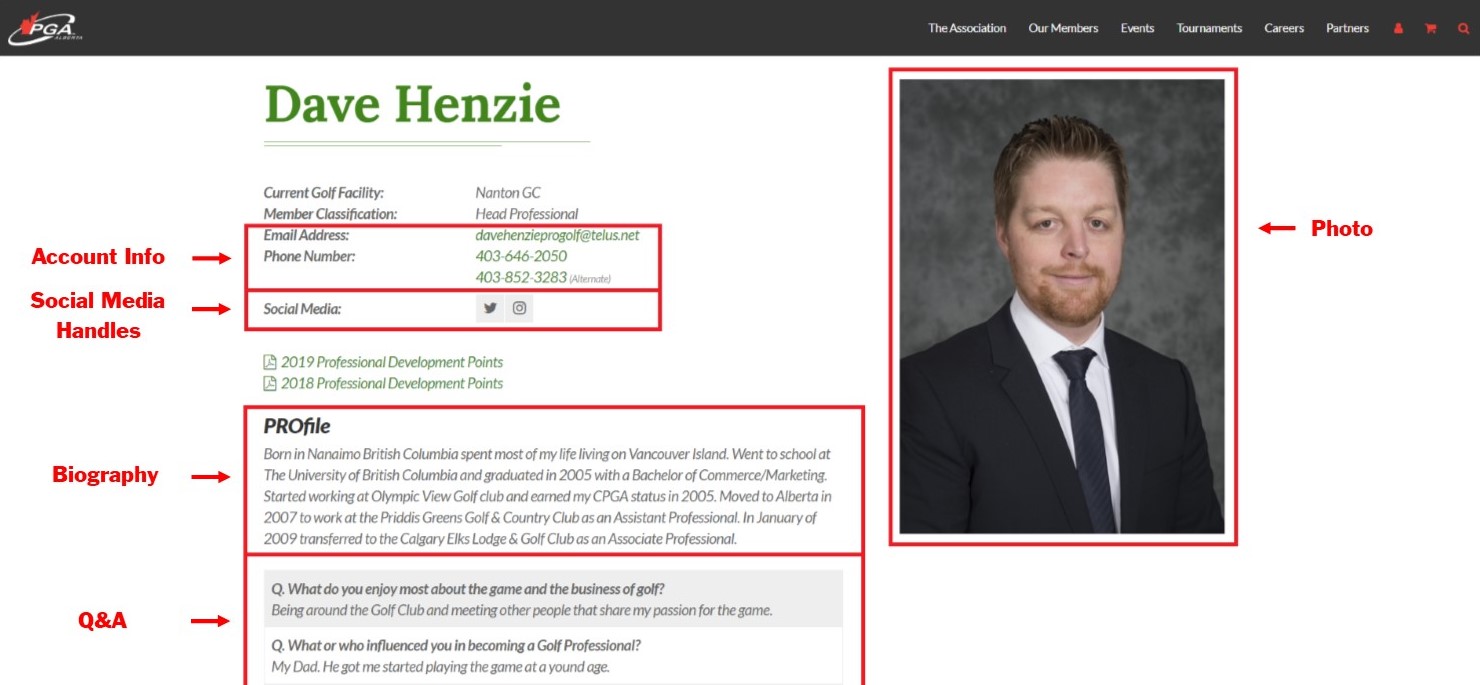
To receive the Top 100 Points for updating your Profile and Account Settings, you must complete the following (if not already completed). See the below example of a completed Profile:
- Account Setting - Update your account information and privacy settings (if needed)
- Edit Profile - Update your current address (if needed)
- Edit Profile - Update a professional portrait of yourself (if needed)
- Edit Profile - Update your biography and/or Q&A section (if needed)
- Edit Profile - Update any social media handles you want posted on your profile (post full url in box)
Click the following links to update your Account Settings and Profile (login required) –
Edit Account Settings / Edit Profile
Once completed, please click the link below to submit the survey to receive your 3 Top 100 points.
IMPORTANT – If your Account Settings and Profile is already up-to-date, click the link below to submit the survey to receive your points.